Free for macOS, Windows and Linux.
A desktop GUI for Kubernetes clusters
Open your kubeconfig and see your clusters as they are right now. When you change something, kube10 asks the API server for a dry run first and shows you what will happen.
Also coming to iPhone and Android
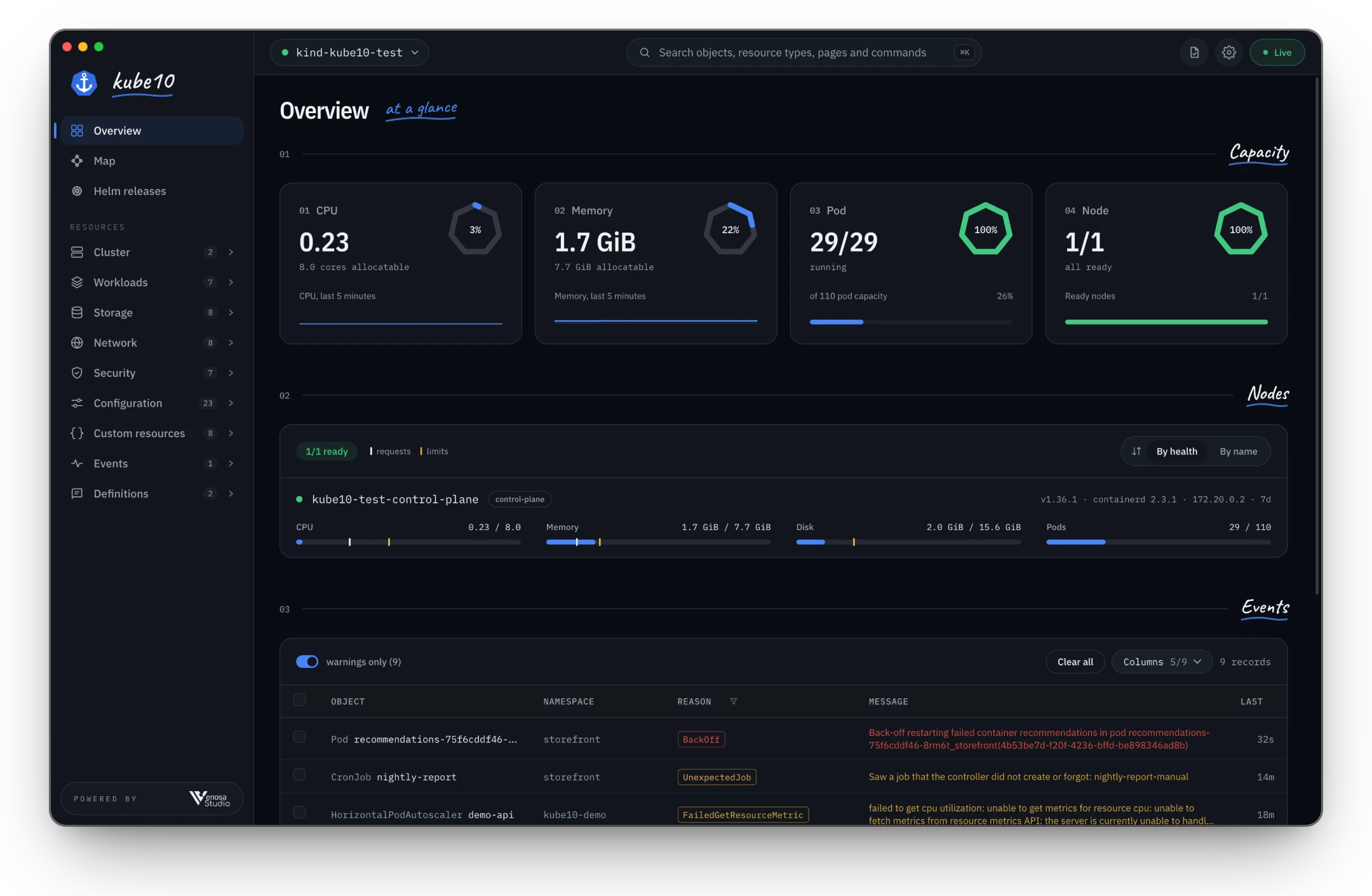
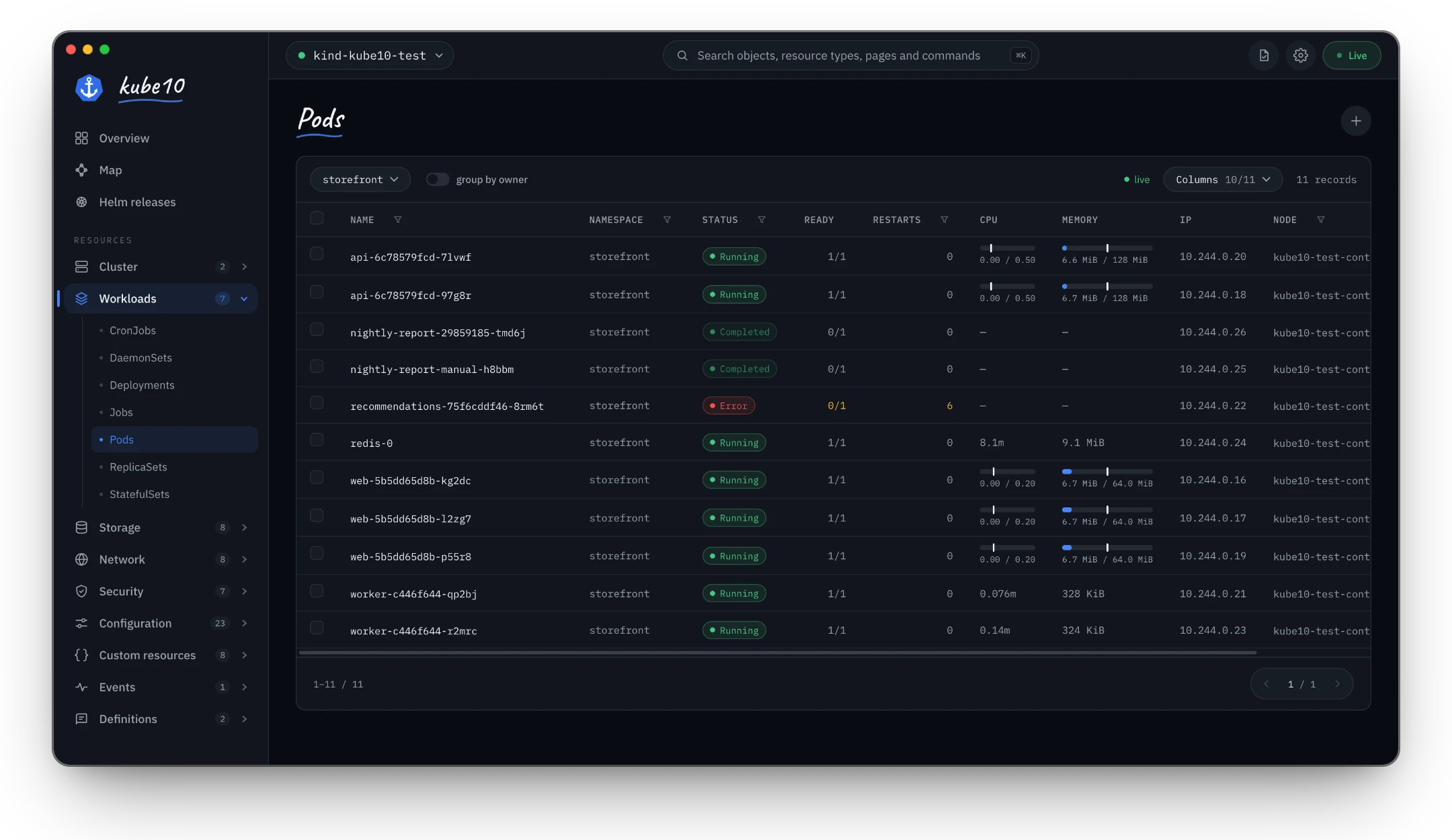
Lists that keep up
Every list is a Kubernetes watch, not a poll, so pods, events and rollouts change on screen as they change in the cluster. If the connection drops, kube10 says so and shows how old the data is.
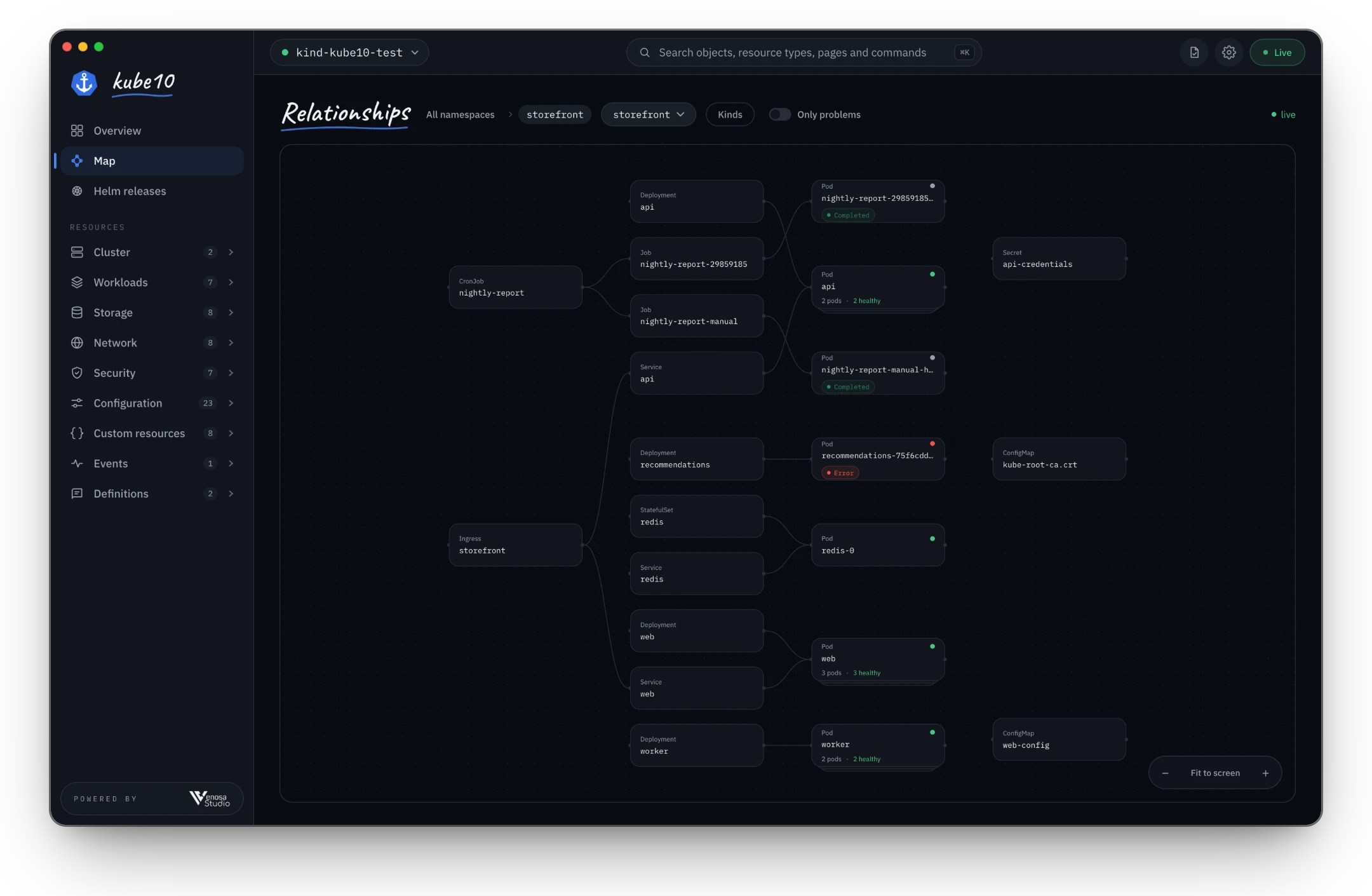
See how it all connects
Follow an Ingress to its Services, workloads and Pods, and on to the ConfigMaps and Secrets they use. Turn on Only problems and the broken piece stands out.
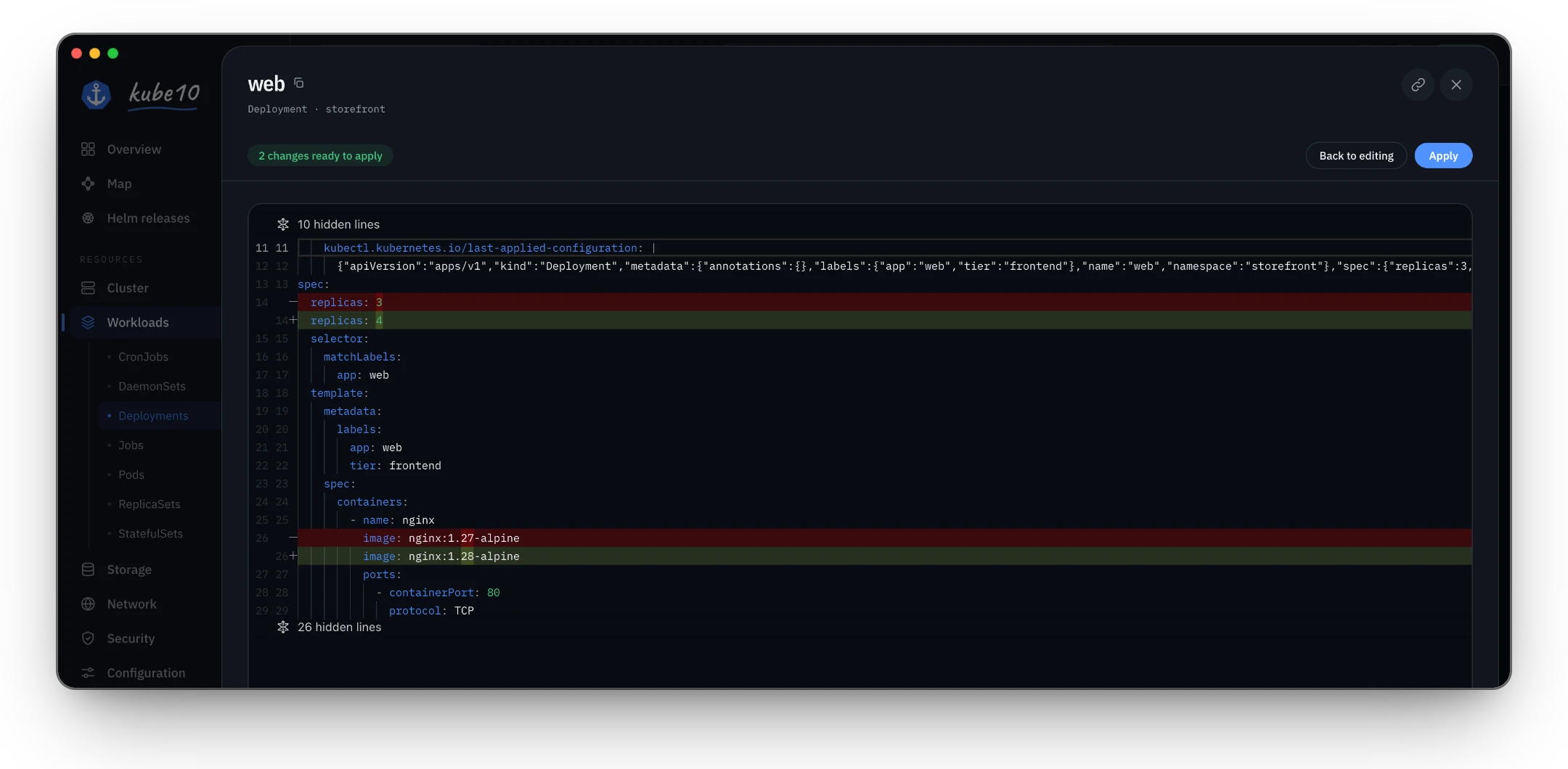
Nothing changes until you say so
Edits, scaling, deletes and new resources go to the API server as a dry run first. You see exactly what will change, then approve it. Actions your RBAC does not allow are turned off before you try them.
Logs and shells, one click away
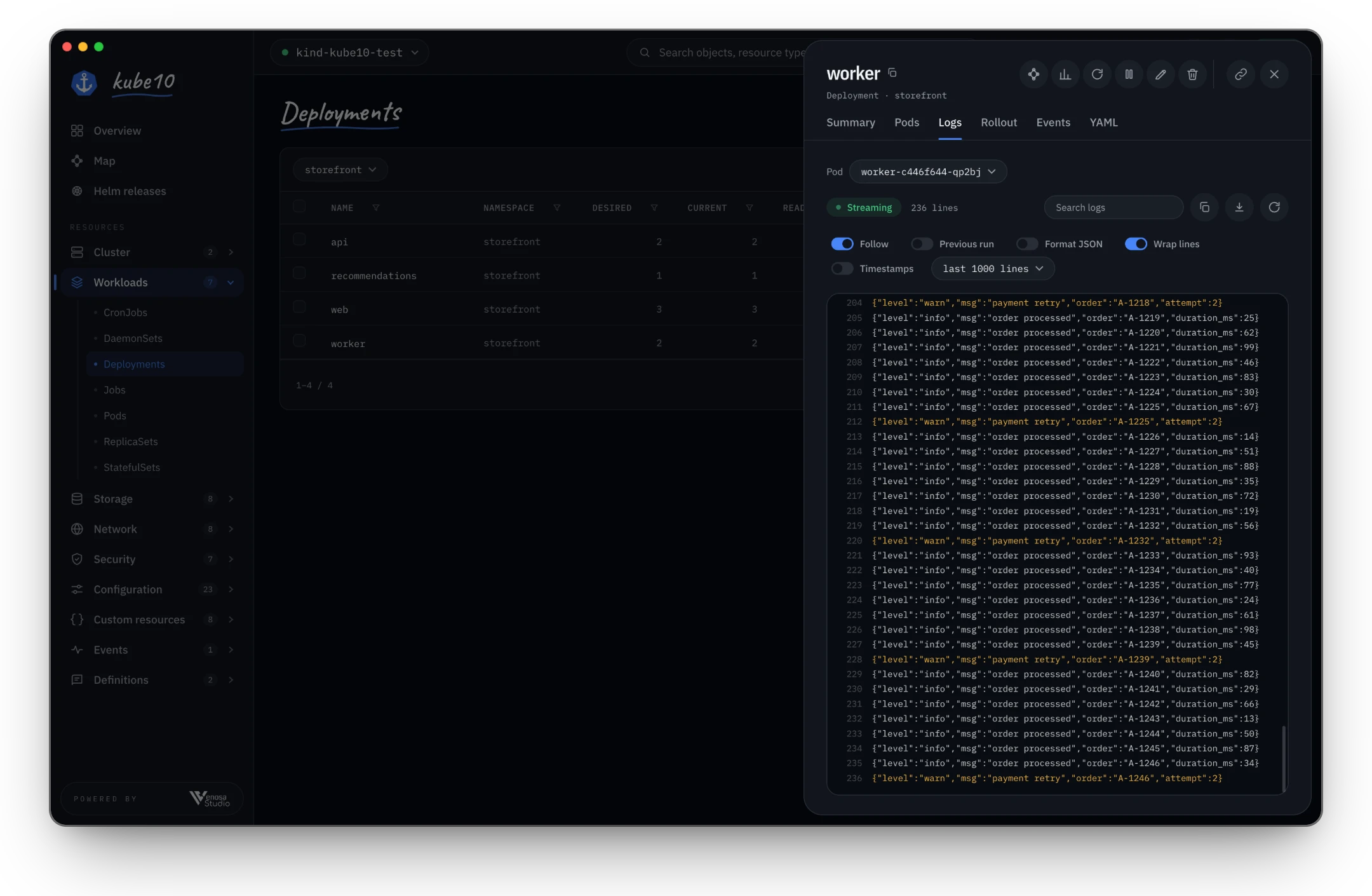
Stream logs with search, JSON formatting and the previous run of a crashed container. Open a shell in a container, attach to its process, forward a port, or open a debug shell on a node that kube10 removes when you are done.
Watch kube10 at work
Short clips, each under twenty seconds, from a crashlooping pod to a node drain. Pick one and they play like stories.
All reels
Everything else you reach for
Every context
All the contexts in your kubeconfig, each on its own connection.
Custom resources
CRDs show up with the columns their authors defined.
Helm releases
Browse what is installed in each namespace, read-only.
Usage history
CPU and memory charts when Prometheus runs in the cluster.
Search
Find objects, resource types, pages and commands with ⌘K or Ctrl K.
Your way
Light or dark, English or Turkish, local time or UTC.
Your credentials stay with you
kube10 reads your kubeconfig and talks straight to your clusters through a server that listens only on your computer.
It uses your own credentials, so you can see and do exactly what your RBAC allows.
No accounts and no telemetry. Apart from your clusters, the only request kube10 makes is the update check.
The macOS app is signed and notarized by Apple.
Before you download
Is kube10 free?
Yes. kube10 is free to download and use.
Which clusters does it work with?
Any cluster in your kubeconfig. kube10 opens ~/.kube/config, or any other file you pick, and connects to each context separately.
Does it run on Intel Macs?
Not yet. The macOS build is for Apple silicon.
How do updates work?
kube10 checks for a new version when it starts and every four hours, downloads it in the background and installs it when you quit.
Does kube10 send my data anywhere?
No. It talks to your clusters and checks GitHub for updates, and that is all.
Try it on your own clusters
It takes a minute to install, and your kubeconfig is all it needs.